
Choose the layout around your content
If you have long role descriptions or several substantial projects, start with Clarity: its single column gives each line more room. For a short skills list alongside a longer work history, compare the sidebar designs. A timeline or numbered sections can give a compact career story a clear rhythm.
Preview your own content before settling on a template. The same design can fill one page with a short CV and several pages with a longer one. Keep the text comfortably readable rather than reducing its size just to force a page count.
For application portals, follow the employer’s instructions first. See our guide to CV formatting for applicant tracking systems for practical checks and the limits of template claims.
Explore all 10 CV templates
These previews use the actual LizardCV layouts with the same fictional candidate. Names, roles and employers in the previews are illustrative. In Studio, you can change document colours and fonts while each template keeps its composition.
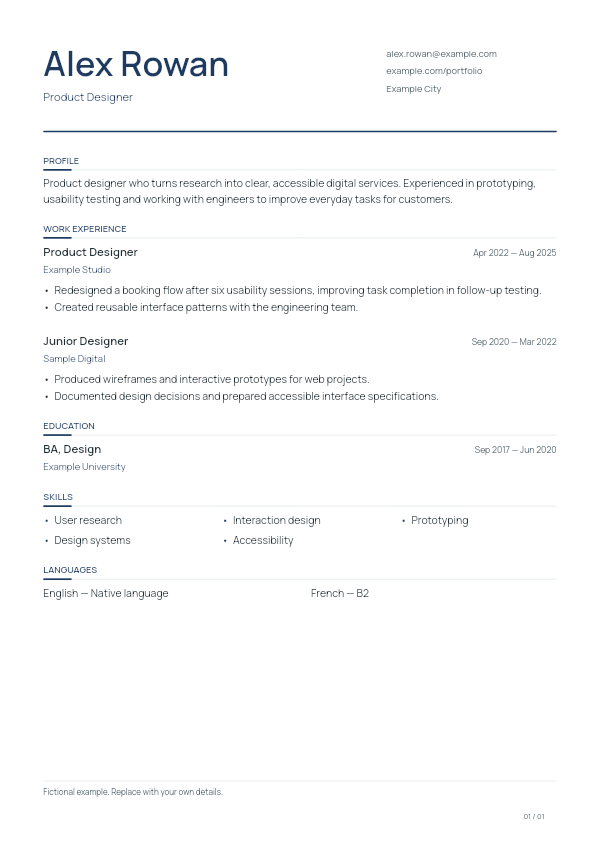
Clarity
A classic single-column CV with a separate contact area beside your name. Full-width experience and education sections leave room for detailed achievement bullets. Choose it when you want a straightforward reading order and understated section dividers.
Open Studio to choose Clarity →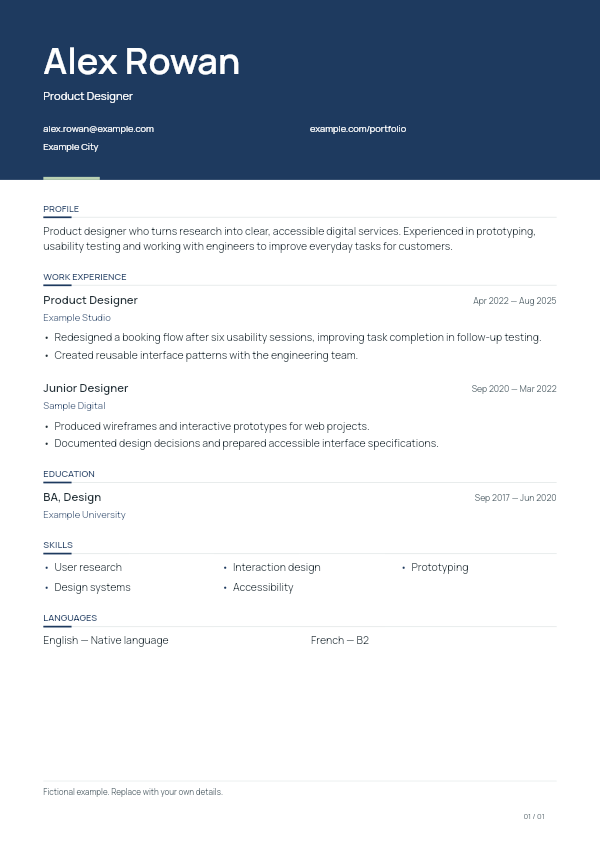
Élan
A full-width colour header introduces your name, role and contact details above a single-column body. This layout gives the opening of your CV a clear visual emphasis while keeping experience, education and supporting sections in a familiar sequence.
Open Studio to choose Élan →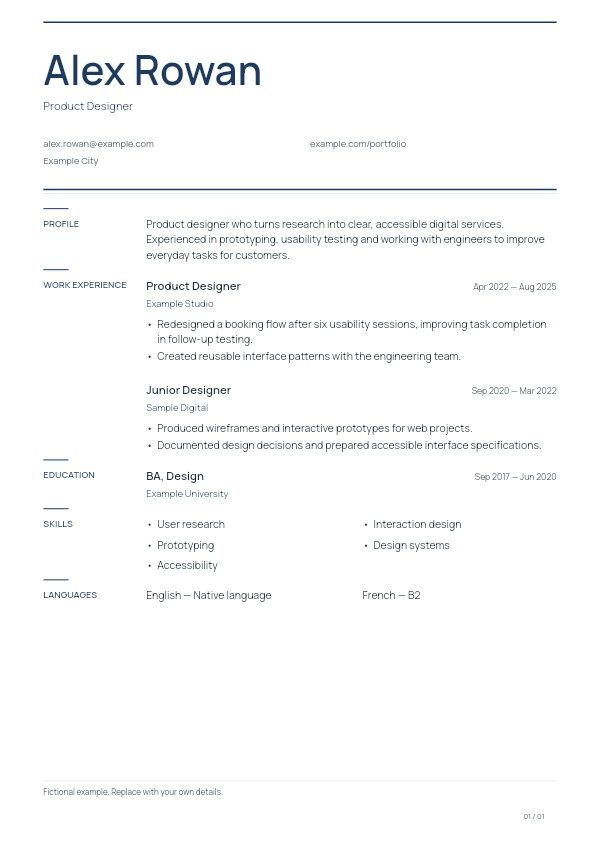
Editorial
An editorial layout with section labels in a narrow left rail and the corresponding content to their right. A large nameplate and fine horizontal rules create a clear hierarchy. Short section titles work particularly well in the dedicated label area.
Open Studio to choose Editorial →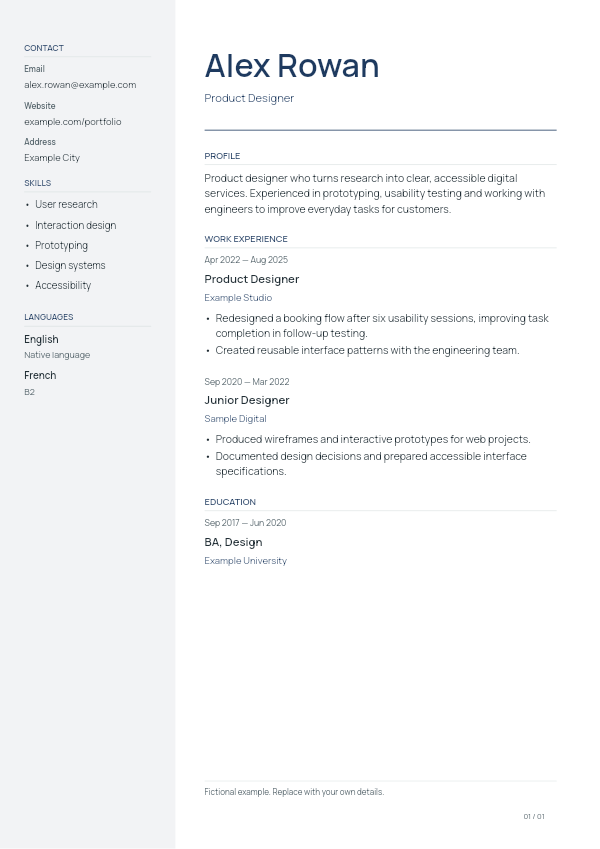
Meridian
A light left sidebar holds contact details, skills and languages beside the main career history. The wider right column carries your profile, experience and education. Choose it when compact supporting information deserves its own consistent place on the page.
Open Studio to choose Meridian →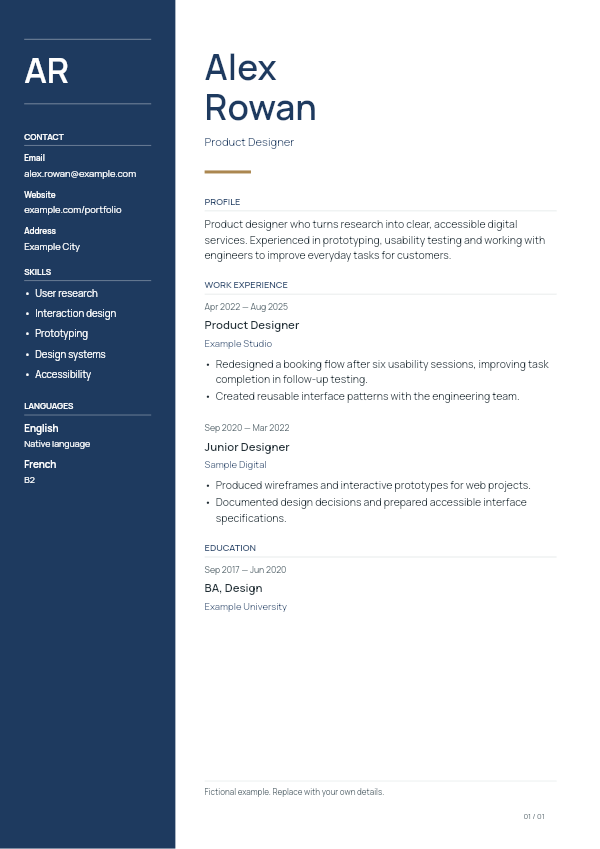
Executive
A dark left sidebar creates a strong division between supporting details and the main career narrative. Your name is stacked prominently in the right column, with initials shown in the sidebar when no photo is used. Keep sidebar entries concise.
Open Studio to choose Executive →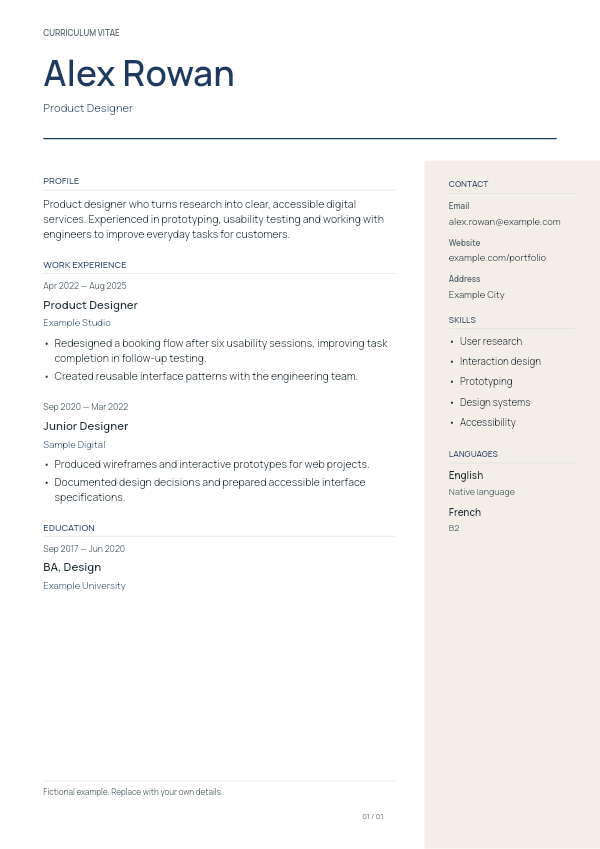
Atelier
A wide name header sits above a two-column body with a light right sidebar. Experience and education remain on the left, while contact details and supporting skills sit on the right. This arrangement suits a CV with a focused career narrative.
Open Studio to choose Atelier →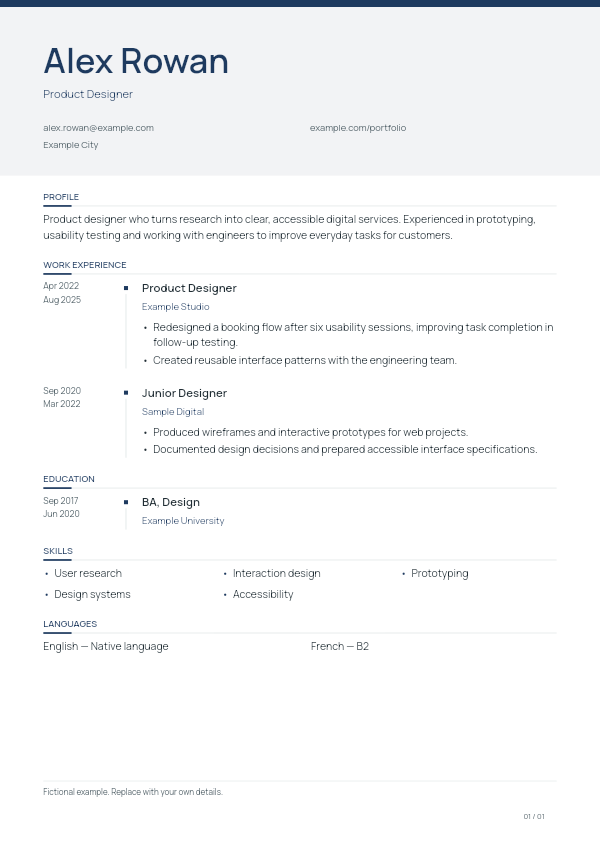
Horizon
A timeline layout places dates in a dedicated area beside your career entries, beneath a softly tinted header. Use it when the sequence of your roles and education is central to your story, with concise dates and clearly separated achievements.
Open Studio to choose Horizon →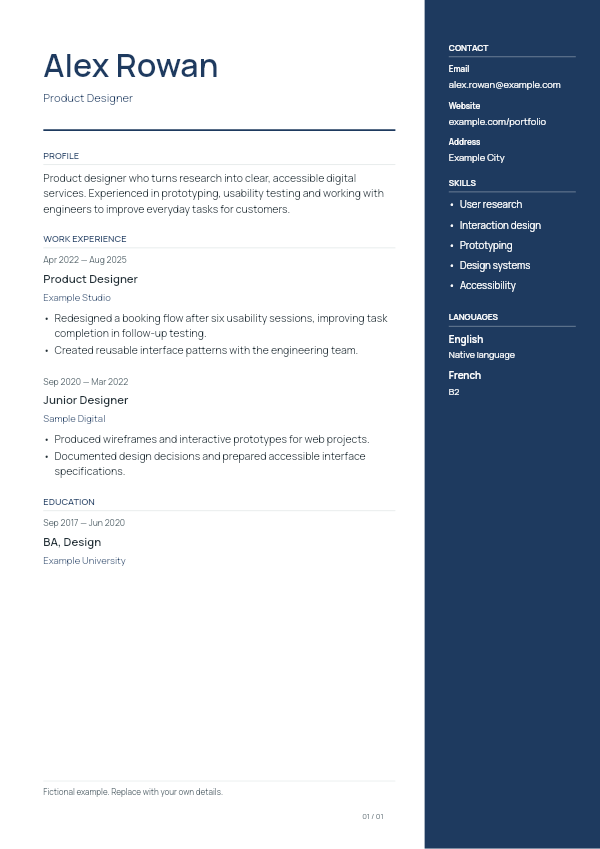
Diplomat
A dark right sidebar gives contact details, skills and languages a distinct home beside the main left column. Your name and career sections stay aligned on the left. It works well when you have short supporting details and more substantial experience.
Open Studio to choose Diplomat →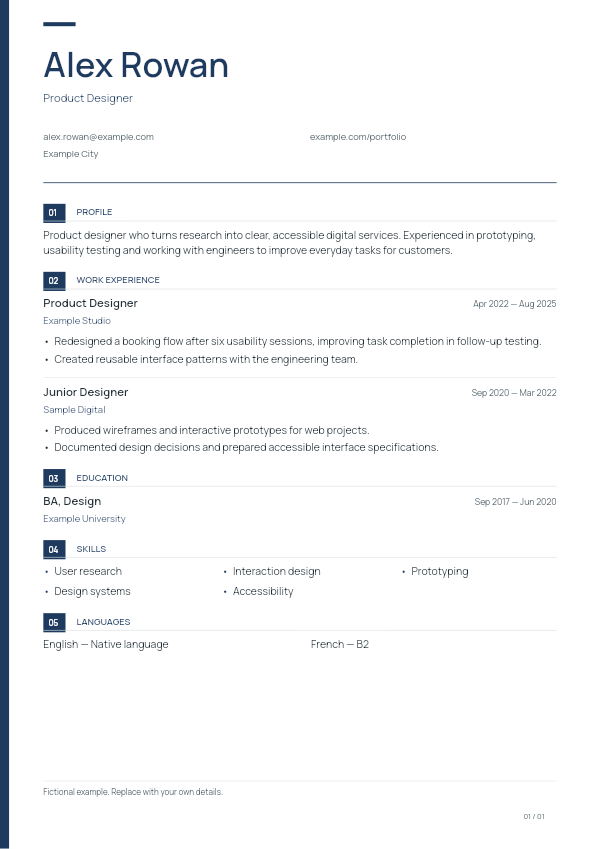
Architect
Numbered section headings and a narrow accent strip along the page edge give this single-column CV a structured rhythm. Choose it when you want readers to distinguish several sections quickly while keeping experience and education in one main reading column.
Open Studio to choose Architect →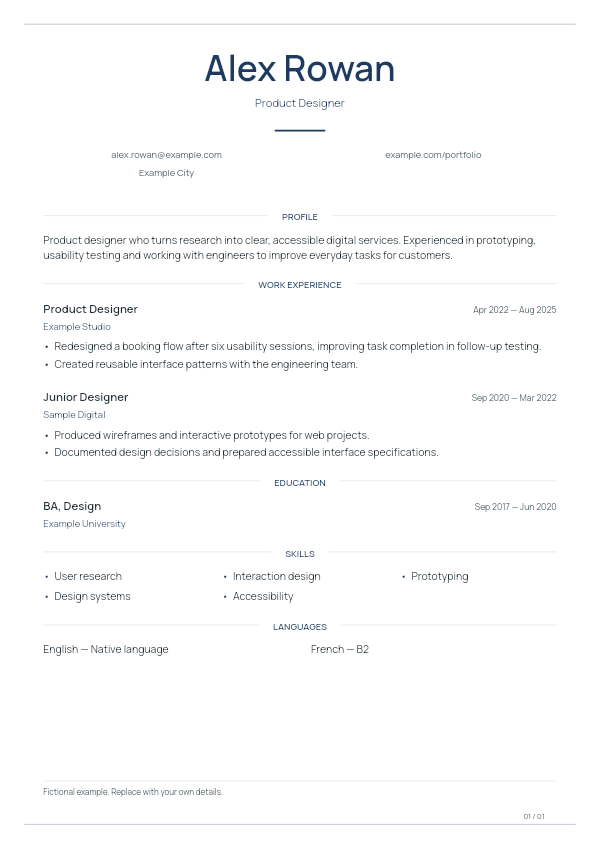
Signature
A centred name header, centred section titles and fine page rules create a balanced, formal composition. The body keeps a single-column reading order. This layout suits a concise CV where clear writing and generous separation carry the presentation.
Open Studio to choose Signature →Make a template your own in CV Studio
- Start in your CV library. Open CV Studio and create a new CV, or reopen a draft you already saved in this browser.
- Add the essentials. Write your contact details, experience, education and skills. Add projects or other relevant sections when they strengthen your application.
- Choose the document design. Use the design controls below the live preview to compare templates, fonts and colours. Review every page after a change.
- Download and check your PDF. Read the exported document, test its links and make sure the contact details are correct before sending it.
The templates share the same editor, so you can try a different composition without retyping your CV. Save an editable backup as well as the PDF if you want to keep working on another device. Drafts do not automatically sync between browsers.
Common questions about these templates
Are all 10 CV templates free?
Yes. You can choose any of these designs and download the finished PDF without a subscription, payment or watermark.
Can I download a blank Word template?
LizardCV is a browser-based CV editor. It exports your completed CV as an A4 PDF; it does not export a Word document. An editable JSON backup is for reopening a CV in LizardCV, not for sending as a job application.
Which template should a student use?
Clarity is a straightforward starting point when education and projects are your strongest evidence. A sidebar design can also work when you have concise skills and language sections. Our student CV example shows what to put in those sections.
Can I use these designs for a resume?
Yes, for a concise job application resume. Choose the sections and wording expected by the employer. The current export uses A4 paper, so check any required page size or file format before submitting.